For beginners
A first crypto card, explained from zero
This page assumes you have never bought crypto and have no wallet. It explains what USDT is, what a network is and why it has to match, and then walks the seven steps from nothing to a card in Apple Pay or Google Pay.
Open an account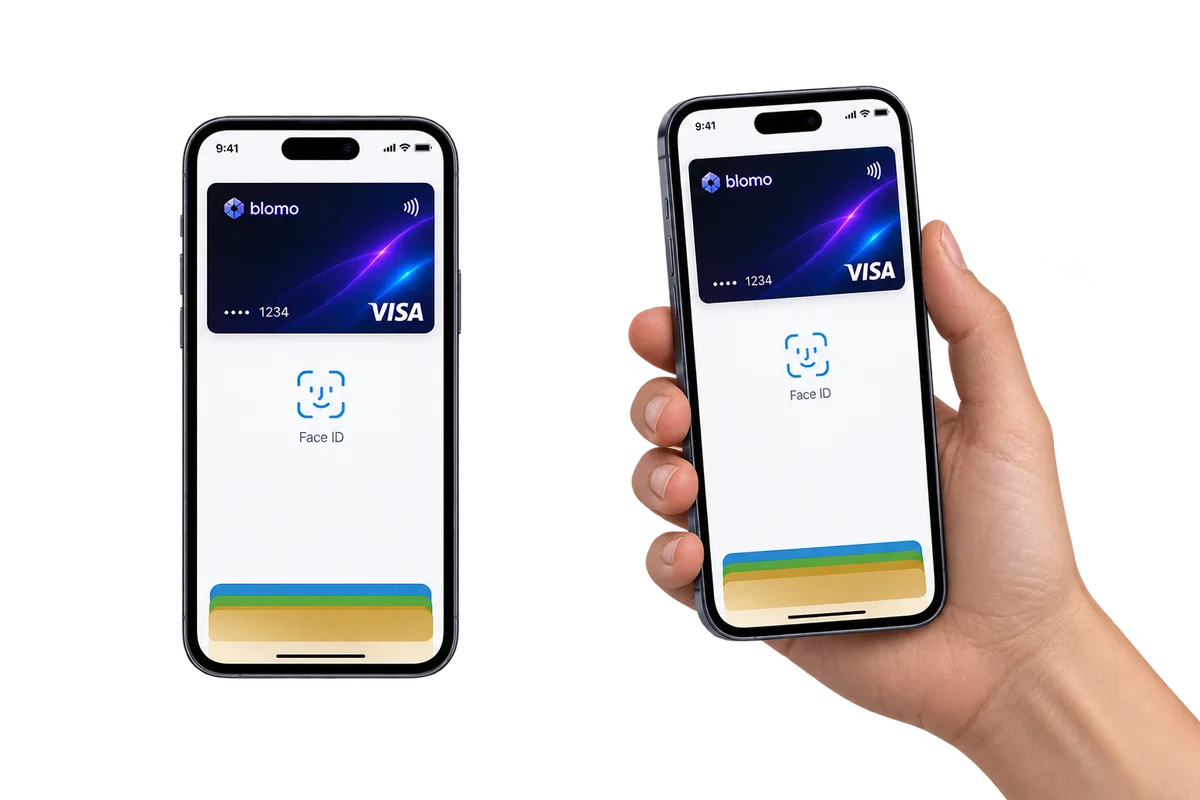
Seven steps from nothing to a card that pays
- Open a Blomo account An email address or a Telegram account is the whole requirement. Link a Telegram account as well, because money notifications go there and Blomo requires the link before the balance can be topped up.
- Buy crypto somewhere Crypto is bought at an exchange or an exchange service, not at Blomo. Buy USDT if you have a choice: it is a stablecoin, so its value does not move while you are still working out the next step.
- Open a top-up and pick the network In Blomo, open a top-up request and choose the asset and the network. Blomo then gives you an address that belongs to that specific top-up and that network.
- Send on the same network Copy the address into the exchange or the wallet you are sending from, and select there the same network Blomo showed you. Send at least 50 USDT and wait for the network to confirm it.
- Issue the card The amount you asked for lands on the Blomo balance; the 1% top-up fee was added to what you sent. Pick a card, and Blomo checks its entry threshold against the balance once. The first virtual card on an account is free.
- Add the card to the phone by hand Open Apple Wallet or Google Wallet on the phone, choose to add a card, and type in the number, expiry date and CVV that the Blomo app shows you. Blomo has no add-to-Apple-Pay button, so this step happens in the phone's own wallet app.
- Pay Paste the number into an online checkout, or hold the phone to the terminal in a shop. The payment behaves like any other card payment, and the merchant sees a Visa or Mastercard.
Before the first step
What you will need
What you will not need
What a crypto card is, and what it is not
A Blomo virtual card is an ordinary Visa or Mastercard whose money happens to arrive as crypto. It exists as three things on a screen — a number, an expiry date and a CVV — and it is issued under licence by a partner bank, so shops and websites treat it exactly like a card from a bank.
It is not a crypto wallet and not an investment. Crypto arrives, becomes a balance shown in USDT, and leaves as an ordinary payment in euros, zloty, pounds or rupiah. The merchant never learns that crypto was involved.
Blomo does not sell crypto either. You buy it somewhere else and send it to Blomo, in the same way that you would put cash into a bank account before paying with a bank card.
What USDT is
USDT is a stablecoin: a token whose issuer holds reserves and keeps it worth about one US dollar. That is the point of it. Ten USDT today is worth roughly ten USDT next week, which is not true of most crypto.
This matters for a card. A Blomo balance is shown in USDT, and every limit and fee on the site is denominated in USDT whatever currency the card itself is issued in, so a balance of stablecoins is a balance whose size you can predict.
Blomo also accepts USDC, which is a second stablecoin doing the same job, and the volatile assets ETH, TRX, BNB and BTC. All of them are converted to a USDT balance on arrival. If you are starting from zero and have a choice, start with USDT.
What a network is, and why it has to match
The same token can live on several separate blockchains, and those blockchains do not talk to each other. USDT exists on TRON and Ethereum; USDC exists on TRON, Ethereum and Arbitrum. The token is called the same thing in all of them, but a transfer on one network cannot arrive at an address that belongs to another.
This is the one mistake that actually loses money, and it is worth reading twice. Blomo issues a top-up address for the asset and the network you chose. Before you press send, check that the network selected in the exchange or the wallet you are sending from is the same one Blomo named. Not a similar one, the same one.
The networks also differ in what the sending side charges for the transfer, and that fee has nothing to do with Blomo — it is the network's own cost, and the exchange shows it before you confirm. Blomo's own 1% top-up fee is separate and is added on top of what you asked to receive.
Where to get crypto
Crypto is bought at a cryptocurrency exchange or at an exchange service, with a bank card or a bank transfer. Blomo has no partnership with any of them and does not recommend one, because Blomo has not checked them.
Whichever one you use, two things matter for what comes next: it has to let you withdraw the asset you bought to an outside address, and it has to let you choose the network for that withdrawal. Some services sell crypto but never let it leave, and those are of no use here.
Buy at least the minimum top-up of 50 USDT plus the entry threshold of the card you intend to issue, and remember that the exchange's own withdrawal fee comes off before the transfer reaches Blomo.
What happens to the balance, and how a card is issued
Once the network confirms the transfer, the amount you asked for appears on the Blomo balance — the 1% fee was already added to what you sent. To get 100 USDT you send 101; for 1,000, 1,010.
Then you pick a card. Each of the 6 products has its own entry threshold, and Blomo checks it against the balance once, at the moment you order. While the card is being issued your whole balance is held and cannot be spent; the hold is released when the card is activated. The threshold itself is not deducted and not collateral: after activation the whole balance is yours to spend, including the amount that qualified you.
The thresholds run from 100 USDT to 1,000 USDT. The cheapest one to reach is the Estonia card at 100 USDT, and it is worth knowing what that price buys and what it costs: it is an online-only card, with no Apple Pay, no Google Pay and no cash withdrawal.
The first virtual card on an account is free. Every card after that costs 10 USDT, charged from the balance at the moment of issue.
Adding the card to Apple Pay and Google Pay
The Blomo app has no add-to-Apple-Pay button, and the card is added by hand instead. Open the Wallet app on the iPhone, or Google Wallet on an Android phone, choose to add a payment card, and type in the card number, the expiry date and the CVV that the Blomo app is showing you. The phone does the rest.
This works on 5 of the 6 cards. The Estonia card does not support wallet payments at all, so there is nothing to add for it — it is meant for online checkouts and subscriptions.
Once the card is in the phone's wallet it behaves like any other: hold the phone to the terminal in a shop, and the payment is debited from the Blomo balance at the rate locked at that moment.
- What you need to know first
- What USDT is, and that a network has to match the address
- What opens a Blomo account
- An email address or a Telegram account
- Where crypto comes from
- An exchange or an exchange service — Blomo does not sell it
- Minimum top-up
- 50 USDT; smaller deposits are not credited
- Cheapest card to start with
- The Estonia card, at 100 USDT — but it is online only
- Time to issue
- About a minute from a funded balance
- Apple Pay and Google Pay
- Added by hand in the phone's wallet app, on 5 of the 6 cards
- Documents
- None for a virtual card, at any stage
FAQ
Questions people actually ask
Do I need to understand crypto to use a Blomo card?
You need two things: that USDT is a stablecoin worth about one US dollar, and that a transfer has to be sent on the same network as the address you were given. Everything after that behaves like an ordinary card.
What is USDT?
USDT is a stablecoin whose issuer keeps it worth about one US dollar. A Blomo balance is shown in USDT, and every Blomo limit and fee is denominated in USDT whatever currency the card is issued in.
What is a network, and why does Blomo ask me to pick one?
The same token lives on several separate blockchains that do not talk to each other: USDT exists on TRON and Ethereum and USDC on TRON, Ethereum and Arbitrum. A Blomo top-up address belongs to one network, and a transfer sent on a different one does not arrive.
Where do I buy crypto to fund a Blomo card?
At a cryptocurrency exchange or an exchange service. Blomo does not sell crypto, has no partnership with any exchange and does not recommend one. What matters is that the service lets you withdraw to an outside address and choose the network.
How much crypto do I need to start?
At least the minimum top-up of 50 USDT, and enough on the balance to clear the entry threshold of the card you want — from 100 USDT to 1,000 USDT depending on the product.
How do I add a Blomo card to Apple Pay or Google Pay?
By hand, in the phone's own wallet app. Open Apple Wallet or Google Wallet, choose to add a card, and enter the number, expiry date and CVV shown in the Blomo app. The Blomo app itself has no add-to-Apple-Pay button.
Can every Blomo card be added to a phone wallet?
No. 5 of the 6 cards support Apple Pay and Google Pay. The Estonia card is online only and supports neither, and it has no ATM access either.
Does a beginner have to verify their identity?
No, not for a virtual card. Blomo asks for no passport, selfie, proof of address or source-of-funds questionnaire at sign-up, top-up, card issue or payment. Incoming funds are still screened, and a top-up that raises a sanctions or anti-money-laundering question can bring a request to confirm where the money came from — Section 6 of the terms. Physical plastic is the exception and does require a check.
Next
Read on
Start from zero
An email address or a Telegram account, and no documents at any stage.