Wallet
Blomo Wallet
Blomo Wallet is a non-custodial crypto wallet built into the Blomo app: the user funds it, sends from it, and holds the key to it. It is separate from the custodial Blomo balance that cards spend from by default.
Open an account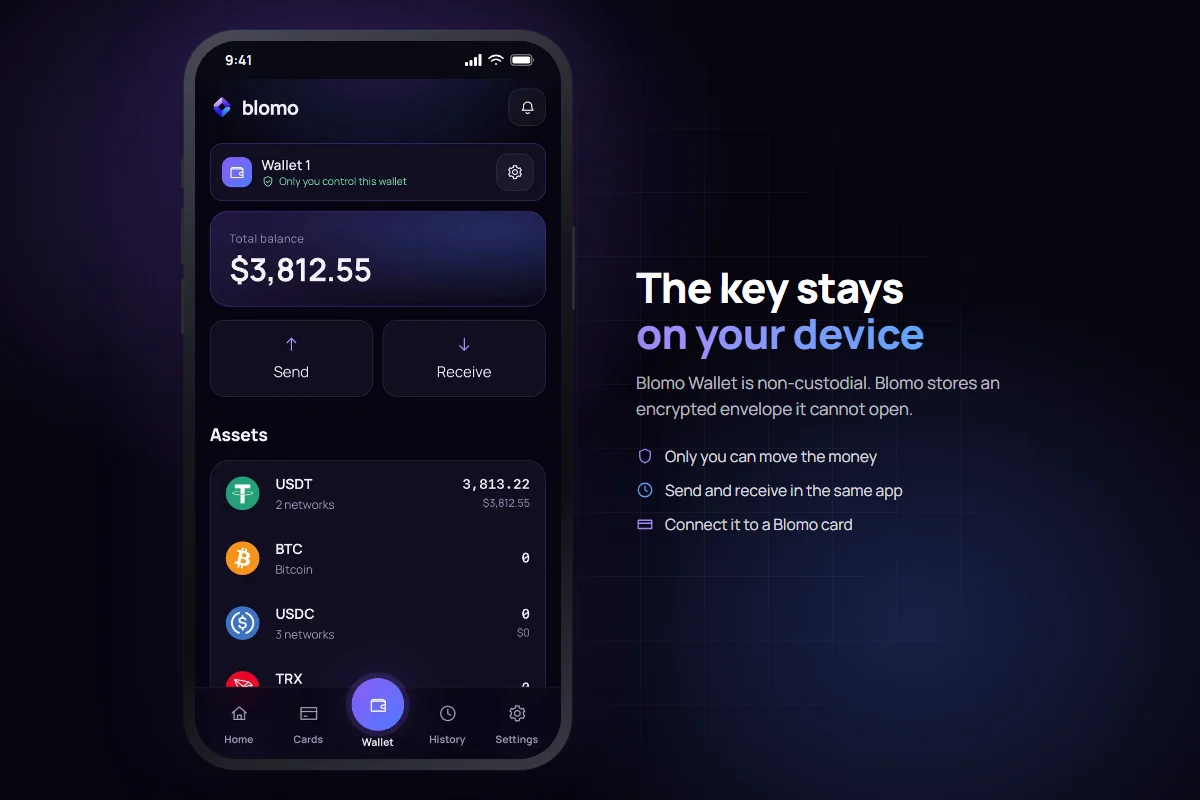
What co-control changes
What Blomo can do
What Blomo cannot do
A wallet the user controls
Blomo Wallet works like Trust Wallet or any other self-custody wallet: the user funds it, sends from it, and holds the network's native coin in it for gas. Blomo cannot spend from it unless the user later opts in to co-control on a card.
This is a different thing from the Blomo balance. The Blomo balance is custodial — crypto sent there lands on Blomo master wallets, and cards spend from that balance by default. Blomo Wallet holds the user's own key instead.
The two can be used independently. A user can hold a Blomo balance for card spending and a Blomo Wallet for self-custody, with no requirement to link them.
How the key stays private
The private key is generated on the user's device and never reaches Blomo servers in readable form.
It is encrypted with the user's passcode, on the device. What reaches Blomo's servers is already encrypted, and Blomo cannot open it: we do not hold the passcode.
The passcode alone is not enough to decrypt it either: a second piece is held by a separate service, released only to a signed-in user and only a limited number of times. So a passcode can only be guessed through Blomo — in the open and slowly — never quietly, at home, against a stolen copy of the database.
Decryption and signing both happen on the device. The server only ever sees an already-signed transaction, never the key or the passcode.
The recovery phrase is the only backup
A recovery phrase is shown once, when the wallet is created, and must be backed up by the user.
Losing the passcode without the recovery phrase means losing the key. Blomo cannot restore it — that is the direct cost of a design in which Blomo's own database can never open the envelope on its own.
Importing an existing wallet
Instead of creating a new wallet, a user can import an existing one into the Blomo app. Once imported, it behaves the same way as a wallet created in Blomo: the key is encrypted with the passcode, and Blomo cannot spend from it unless co-control is turned on.
Connecting a wallet to a card: co-control
A created or imported wallet can be connected to a Blomo card. This grants co-control, and it is opt-in — without it, Blomo can never move funds from the wallet.
Under co-control the key is split into two shares, one held by the user and one by Blomo, and it is never assembled whole. Signing is a threshold protocol; on-chain the result looks like an ordinary transaction.
Blomo's share signs only within a policy the user sets in advance: a spending limit, a list of allowed recipients, and a stop switch. The policy is enforced by the signer service, not left to trust.
Once connected, card spending can be debited directly from the wallet instead of from the Blomo balance.
- Custody model
- Non-custodial
- Key generation
- On the user's device
- Key encryption
- The user's passcode, on their own device
- Guessing the passcode
- Only through Blomo and only a limited number of times — a stolen database is not enough
- Signing location
- On the device — the server only sees an already-signed transaction
- Backup
- Recovery phrase shown when the wallet is created
- Import
- An existing wallet can be imported instead of creating a new one
- Card connection
- Optional co-control with a spending policy
FAQ
Questions people actually ask
Is Blomo Wallet custodial?
No. Blomo Wallet is non-custodial: the private key is generated on the user's device and Blomo cannot spend from it unless the user opts in to co-control on a card.
What is the difference between Blomo Wallet and the Blomo balance?
The Blomo balance is custodial: crypto sent to it lands on Blomo master wallets and cards spend from it by default. Blomo Wallet is the user's own wallet, and Blomo cannot spend from it unless co-control is turned on.
Where is the private key generated?
On the user's device. It never reaches Blomo servers in readable form.
How is the key protected if Blomo stores an encrypted copy?
The copy is encrypted with the user's passcode, and Blomo does not store the passcode. Opening it also takes a second piece, held by a separate service and released only to a signed-in user, a limited number of times. A stolen database on its own is useless: guessing would have to go through Blomo, where it is visible and rate-limited.
What happens if a user loses their passcode?
The key can still be recovered using the recovery phrase shown when the wallet was created. Without that phrase, the key is lost and Blomo cannot restore it.
Can Blomo access funds in Blomo Wallet?
Not unless the user has connected the wallet to a card and turned on co-control. Without co-control, Blomo can never move funds from the wallet.
What is co-control?
Co-control is an opt-in mode where the wallet's key is split into two shares, one held by the user and one by Blomo, and signing uses a threshold protocol. Blomo's share signs only within a spending limit, an allowed-recipient list, and a stop switch that the user sets in advance.
Can an existing wallet be imported instead of creating a new one?
Yes. A user can import an existing wallet into the Blomo app instead of creating a new one.
Does connecting a wallet to a card mean spending always comes from it?
Once connected, card spending can be debited directly from the wallet instead of the Blomo balance, but the connection itself is opt-in and governed by the policy the user set.
Next
Read on
Open a non-custodial wallet inside Blomo
Create Blomo Wallet, back up the recovery phrase, and hold the key from day one.